Social Media Scheduler: How to Choose One and Plan Your Week
A social media scheduler lets you prepare posts, choose their destination accounts, and set a future publishing time. For supported accounts and formats, it publishes automatically. Some formats need a phone notification and a final manual step, so check the publishing method before you leave a post in the queue.
For a solo founder or small team, start with three questions: Can it publish your actual content? Can you review and change the schedule easily? What will it cost for all your accounts? Then test one complete week before moving your whole content operation.
PostPiper makes one of the products discussed here. Product details were checked against official documentation, published plans, and current product capabilities. We have not independently tested competing services for this guide.
What does a social media scheduler actually do?
A social media scheduler publishes prepared posts to your connected accounts at a chosen date and time. You select the account, add text and media, and set the publishing time. Supported formats publish automatically; others require a notification and a manual step.
How do I choose a social media scheduler?
Choose by supported accounts, content formats, publishing method, and total cost. Test one real post before committing. “Supports Instagram” is less specific than “automatically publishes my Reel with the features I need.”
For example, Buffer's Instagram documentation distinguishes automatic publishing from notification publishing. Automatic publishing requires an eligible professional account and supported content. Features such as music on posts and Stories or certain interactive additions can require finishing the post in Instagram. A scheduled reminder still needs someone available to act on it.
Use this checklist during your evaluation:
| Check | What to try | Evidence to keep |
|---|---|---|
| Account and format support | Create the exact text, image, video, or carousel you normally publish | Whether it uses automatic publishing or a reminder |
| Timing | Set one future post, then review its displayed date and time zone | The saved time, destination account, and confirmation |
| Changes | Edit a draft and reschedule a queued post | The final text and updated calendar entry |
| Review | Ask a teammate to inspect a representative post | Who can approve, edit, and submit it on the chosen plan |
| Delivery | Inspect a test post after its scheduled time | Its status and the actual post on the social network |
| Cost | Enter every account and required user into the pricing calculator | Total recurring charge and applicable limits |
These are suggested acceptance checks, not results from a product benchmark. Run them on low-stakes content before scheduling a launch.
What platform can I use to schedule social media posts?
Buffer offers a small free queue, Later offers visual planning through social sets, and PostPiper supports X, LinkedIn, and Facebook with calendar, API, and MCP tools. Choose one that supports your actual accounts and formats; the pricing examples below show the different billing models.
How much does a social media scheduler cost?
Costs depend on account count, user seats, post allowances, and billing term. Compare the total for your setup. These examples show three pricing models:
| Option | Published entry offer | Useful when | Limitation to check |
|---|---|---|---|
| Buffer | Free: 3 channels and 10 scheduled posts per channel. Essentials: $5 per channel/month, billed yearly | You want a small free queue or pricing tied to channel count | Calculate the cost across all channels; the Free limit is queue capacity |
| Later | Starter: $18.75/month, billed yearly; 1 social set, 1 user, 30 posts per profile/month; 14-day trial | You want visual planning across the profiles in a social set | A set contains one profile per supported network; additional sets are unavailable on Starter |
| PostPiper | Pro: $10/month for 1,000 successful posts or $25/month for 3,000; unlimited connected accounts | You want scheduling for X, LinkedIn, and Facebook, with calendar, API, and MCP tools | Supported networks and post allowance still apply; analytics are listed as coming soon |
Prices and limits checked October 27, 2026. USD; billing terms and taxes vary. The linked plan pages are the source for each offer.
For a concrete budget example, four Buffer channels at the displayed annual Essentials rate work out to $20/month, billed $240 yearly. PostPiper's entry Pro tier is $10 on a monthly basis, subject to its supported networks and 1,000 successful-post allowance. These are different packages: a lower total does not help if your required network or format is unavailable.
For a wider shortlist, read our social media scheduling tools comparison.
What is the difference between a queue limit and a monthly post limit?
A queue limit controls how many posts can wait for publication at once. A monthly allowance controls usage during a billing period. With Buffer Free, the pricing page describes 10 scheduled posts per channel that you can refill. That does not mean 10 posts per calendar month.
Also separate a recurring free plan, a time-limited trial, and one-time credits. One reader in a public r/marketing discussion asked, “Is there any free social media scheduling app/site?” after encountering a posting allowance they had not expected. This is one person's experience, not evidence of current vendor limits. Check the official plan terms before building your routine around “free.”
How do I schedule a week of social media posts?
Prepare the content, adapt it for each account, set audience-local publishing times, and verify the saved schedule. The weekly plan below is illustrative, not a tested cadence.
1. What should I prepare before scheduling?
Collect the release notes, an approved screenshot, the destination link, and questions customers have actually asked. Keep a source beside any factual claim in your working document. If you do not have permission to share a customer message, explain the problem in your own words without identifying them.
Turn the material into a few distinct posts: a useful lesson, a walkthrough, and a question. Do not fill every day simply because the calendar has empty space.
2. How should I adapt content for each platform?
Use the same underlying idea, but review the final copy for each account. In this example, write a short X post with the key takeaway and a LinkedIn post explaining the problem, change, and lesson. Check mentions, links, image crops, and any format limits in the composer.
If you use AI to draft, supply your actual notes and inspect its output. Remove invented results, customer quotes, and unsupported promises before scheduling.
3. How do I plan content across platforms in the same week?
Adapt the same update for each platform throughout the week. Illustrative plan: LinkedIn targets UK customers; X targets US East Coast developers. Replace these assumed audiences with your own.
| Platform | Monday | Wednesday | Friday | Audience time zone |
|---|---|---|---|---|
| Explain the problem and business value | Annotated workflow screenshot | Ask for workflow feedback | Europe/London | |
| X | Short update with release-notes link | Screenshot with one technical takeaway | Ask a focused implementation question | America/New_York |
Which time zone should I use to schedule social media posts?
Use the target audience’s time zone. In this example, that means Europe/London for UK customers and America/New_York for US East Coast developers. Choose publishing hours from audience activity data, or test slots if you lack data; there is no universal best hour.
Confirm your scheduler supports each format, then save the account, content, date, time, time zone, and owner. Check the displayed time and daylight-saving offset before scheduling; Buffer, for example, has separate time-zone settings for each channel.
4. What should I check after scheduling a post?
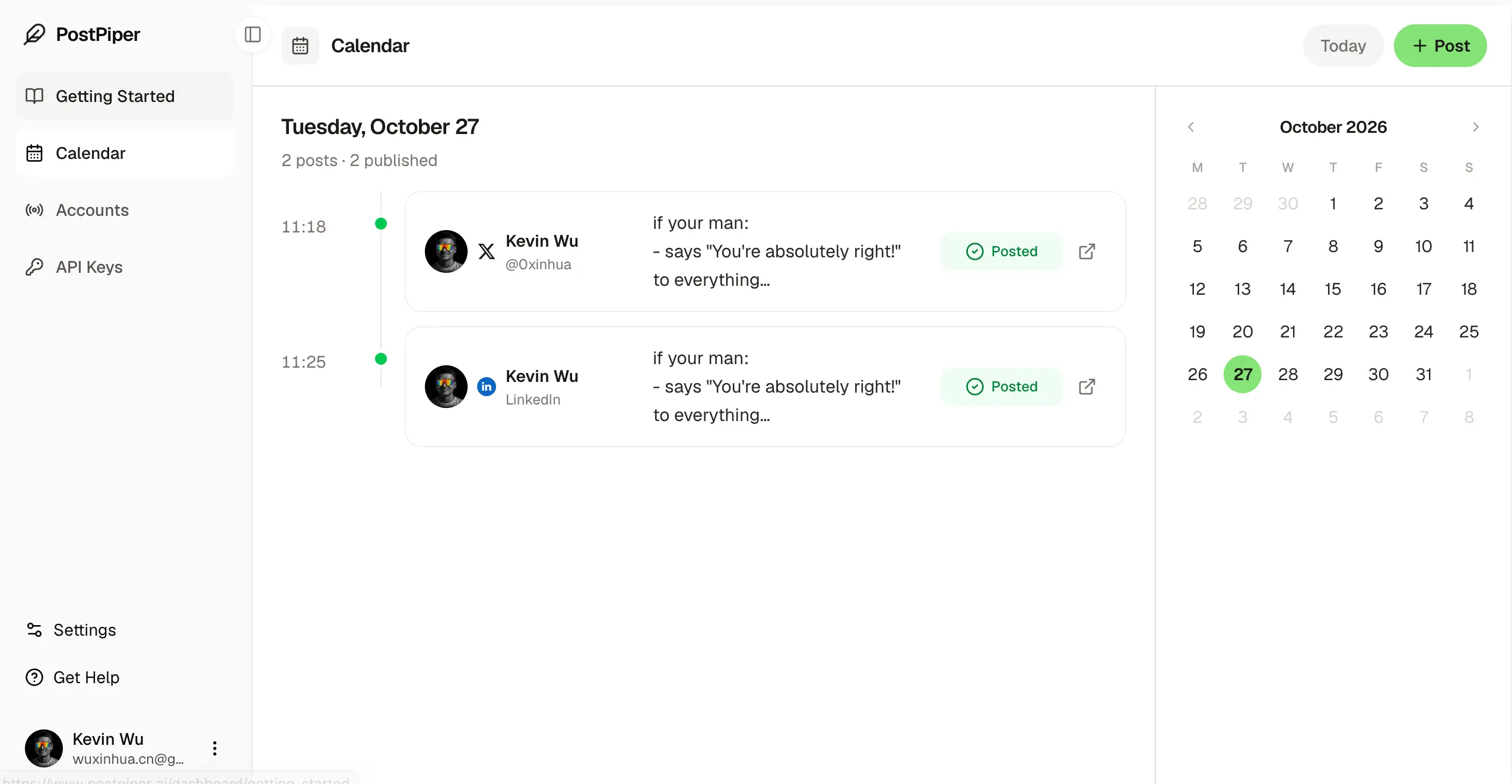
Open the calendar or queue after submitting. Confirm the right account, final copy, media, date, time zone, and publishing mode. Keep a draft separate from a scheduled item: an intention to post is not confirmation that publishing has been scheduled.
Test an edit or time change on a low-stakes post before loading a full campaign, then confirm the saved entry reflects it.
5. How do I know a scheduled post was published?
Check the scheduler’s status, then open the live post on the destination network. If the result is unclear, inspect the account before retrying. With PostPiper’s API, fetch the post and check its status after the scheduled time.
At the end of the week, record replies from your intended audience, relevant clicks if you track them, and the time you spent preparing and correcting posts. Use that record to choose next week's topics and adjust the schedule. A busier calendar is not the goal; a routine you can maintain and learn from is.
How do I schedule posts with PostPiper?
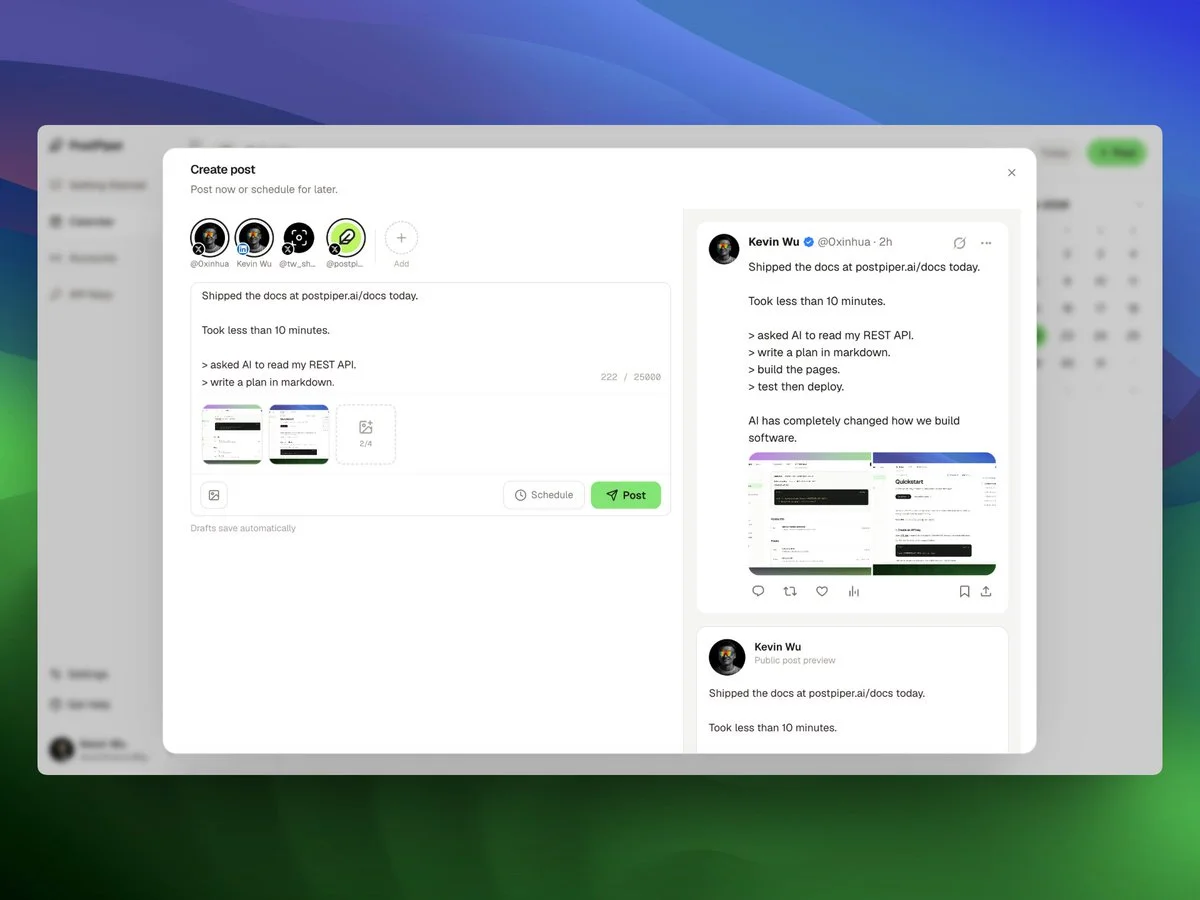
PostPiper's published plans include calendar scheduling, API access, and an MCP server. Its supported scheduling platforms include X, LinkedIn, and Facebook. Check the supported post formats for each destination before scheduling your content.
For the dashboard workflow, sign in, connect an eligible account, prepare a post, and choose a future time. Review the saved item in the calendar before leaving it unattended. The current time picker uses your browser's local time, so confirm your device time zone if you are scheduling for an audience elsewhere.
Can I schedule posts through an API or AI assistant?
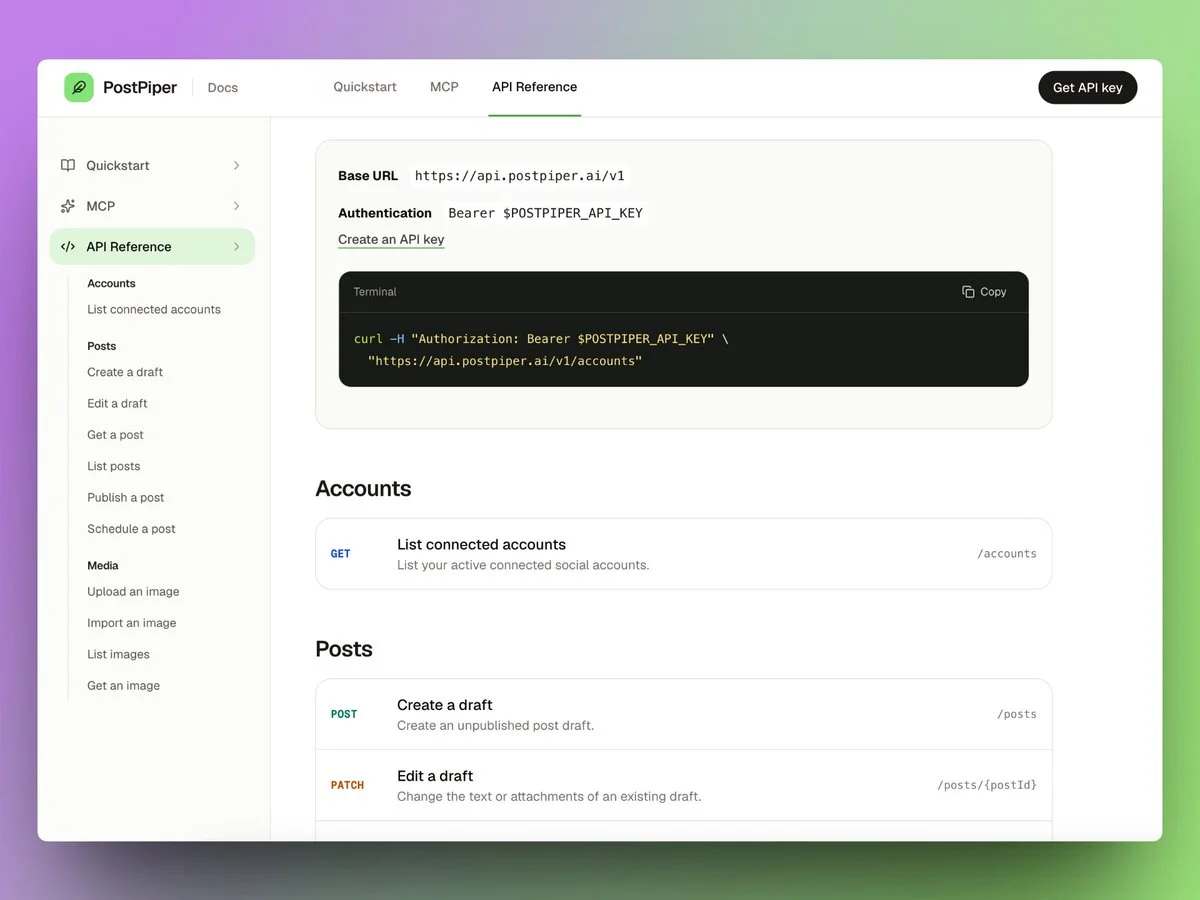
Yes. PostPiper offers a REST API and MCP server. The API quickstart walks through creating a key, listing connected accounts, creating a draft, scheduling it with an explicit time-zone offset, and fetching its status. Creating a draft does not publish it.
The MCP setup guide explains how to connect a compatible AI client.
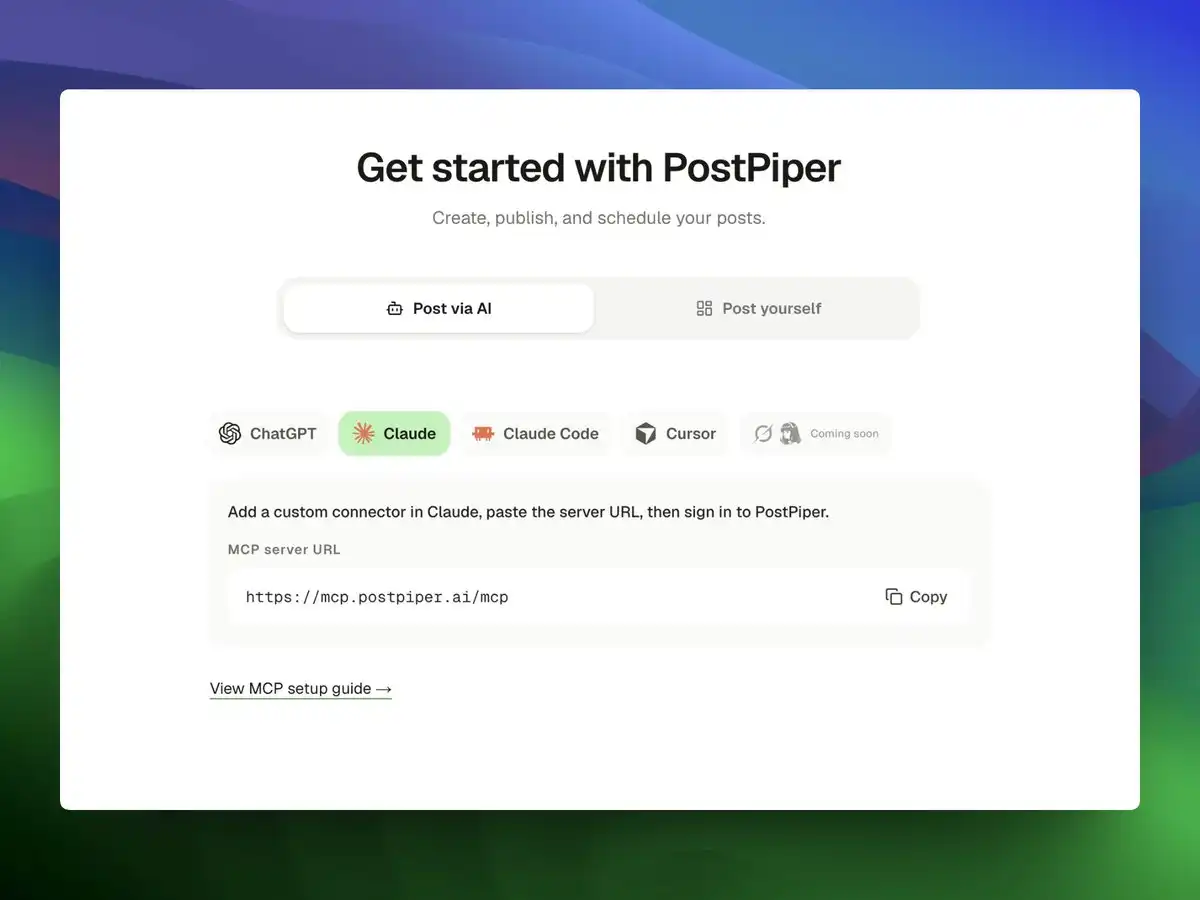
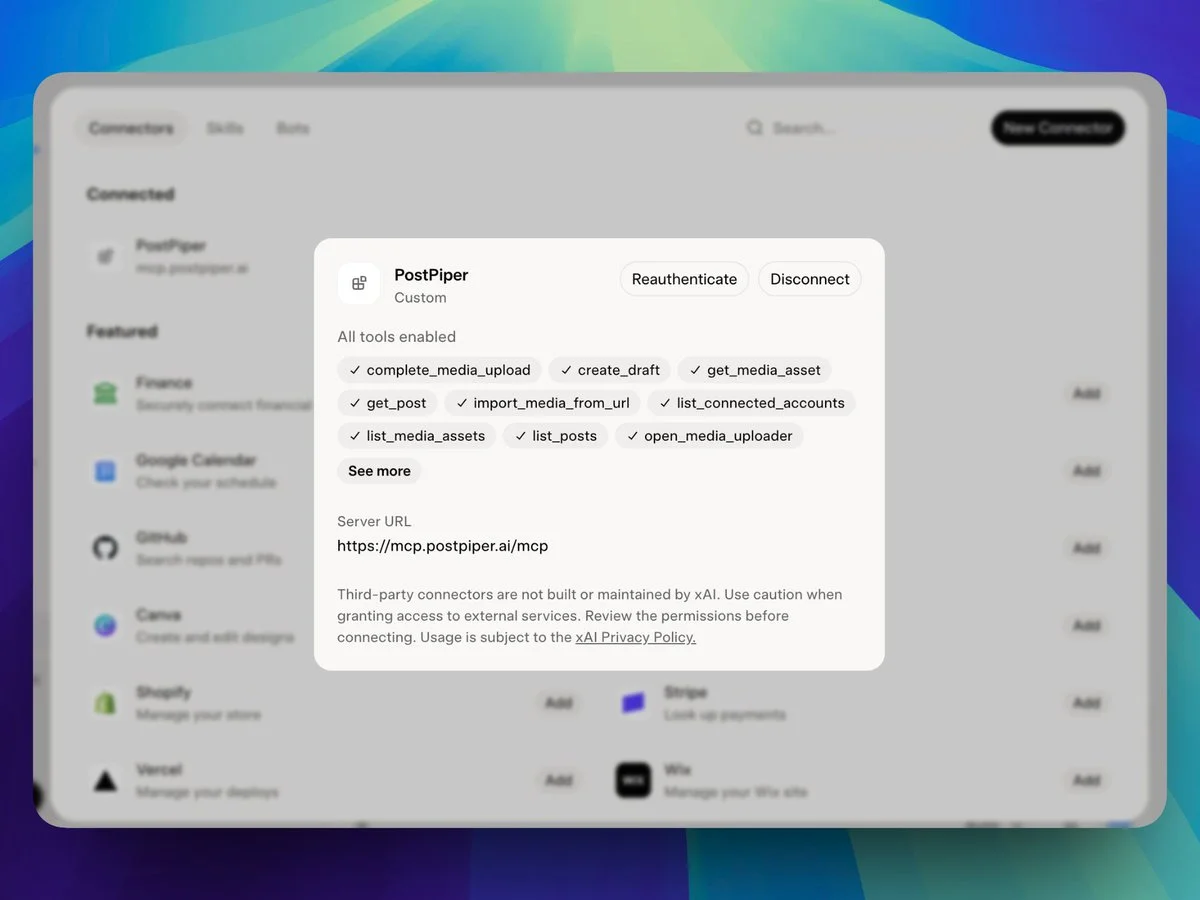
Keep a review step in any AI workflow. A useful request is: “Draft three posts from these release notes, show me the account and proposed publishing time for each, and wait for my review before scheduling.” That is a suggested instruction for your workflow, not a claim that every client enforces approval automatically.
PostPiper's pricing page lists analytics as coming soon. Use your social networks' own reporting for performance review until the product provides the reports you need. Check the current plans, then test one post on each supported network you intend to use.
Frequently asked questions
How can I schedule Instagram posts for free?
Buffer's Free plan includes up to three channels and 10 queued posts per channel. Adobe Express also includes a free Content Scheduler; its page lists up to 1,000 posts per month and reserves connecting up to three accounts per social channel for Premium. Check account eligibility and whether your content will publish automatically or require a notification. PostPiper does not currently offer Instagram scheduling. Our free schedulers guide covers more plan limits.
Can a social media scheduler publish without me being online?
Automatic publishing handles supported content at the scheduled time without a final manual action. Notification publishing sends a reminder and requires you to finish the post. Verify the method on each scheduled item, rather than assuming every format behaves the same way.
Can I schedule posts within Instagram?
Yes. Instagram provides in-app scheduling for eligible accounts and content. Check the scheduling option and current eligibility in the app; native scheduling and a third-party scheduler can have different format restrictions.